Automated Voice Tracking
Voice tracking is an essential technique in modern radio. It consists of pre-recording DJ interventions between songs to give the impression of a live show, even when the station is automated. SpeakRadio makes this process simple and fast with AI voices.
What Are Voice Tracks For?
Voice tracks serve several essential functions in radio programming:
- Song transitions : Smooth bridges between tracks for seamless listening.
- Schedule announcements : Announce the time, upcoming programs, or news flashes.
- Listener engagement : Dedications, greetings, and personalized messages that create closeness.
- Content fill : Weather, traffic updates, or local events between music segments.
Create a Voice Track
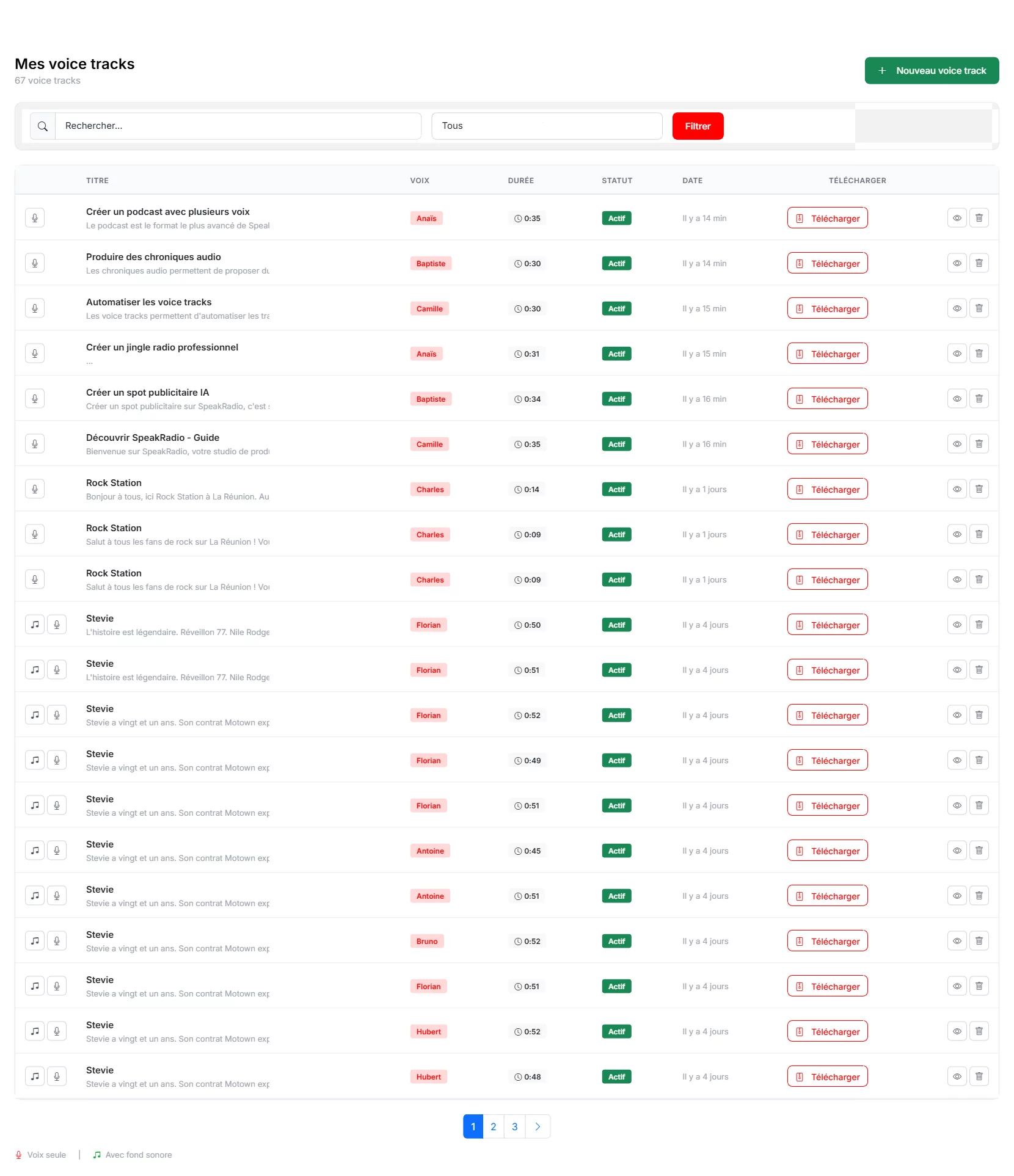
Go to the "Voice Tracks" section from the sidebar menu, then click "New Voice Track". The creation interface opens with all necessary settings.
Configuration
The settings are similar to other productions:

- Title : Name your voice track clearly (e.g., "Morning Transition 8am", "Weather Intro").
- Voice : Choose from 61 voices. For voice tracks, consistency is key: always use the same voice for a given time slot.
- Intonation : Adapt the tone to the moment: energetic in the morning, soft for evening, neutral for information.
- Background sound : Optional. A light musical bed can add warmth, but many voice tracks work better without one.
Write the Text
A voice track text should be natural and spontaneous, like a real DJ speaking. Avoid overly formal or written language. Keep it short (10 to 30 seconds). Mention listener names, the time, or a fun fact to create a sense of proximity. The AI generation can help you draft natural-sounding texts.
Generate and Schedule
Click "Generate the voice track" to produce the audio. Once satisfied with the result, download the MP3 for integration into your broadcast scheduling system. You can create multiple voice tracks in advance and schedule them throughout the day for a fully automated yet natural-sounding broadcast.

Tips for Successful Voice Tracks
Always use the same voice to create consistency and listener familiarity. Vary the intonation throughout the day: dynamic in the morning, calm in the evening. Keep texts short and punchy. Pre-produce a full day's worth of voice tracks in one session for efficiency. Update them regularly to keep content fresh.
To further enrich your broadcast, discover how to produce thematic audio shows or create professional jingles. Find all features in our getting started guide.